About me Contact

Expert help for Home Assistant AutomationsHeatingPanels

I restore stability to your smart home. I solve logic errors, organize entities, and design clear control interfaces. You enjoy the system's comfort while I handle the technical chaos.

Professional Home Assistant Services & Help

I solve problems in three key areas. I work 100% remotely, so your location does not matter.

Foundation

System setup and cleanup

  • Installation
  • Configuration
  • Intuitive dashboard
  • Raspberry Pi / miniPC / Linux
  • Integrations and entity cleanup
  • Backup before changes
Stability

Zigbee Networks and Integrations

  • ZHA or Zigbee2MQTT
  • Add integrations
  • Integrate Tuya devices (local and cloud)
  • Improve network range and routing
  • Choose channels that avoid Wi-Fi 2.4 GHz conflicts
Logic

Automations

  • Clear logic without chaos
  • Testing: what happens and when
  • Documentation: what does what
  • Scripts
  • Alerts

Passion that became a profession.

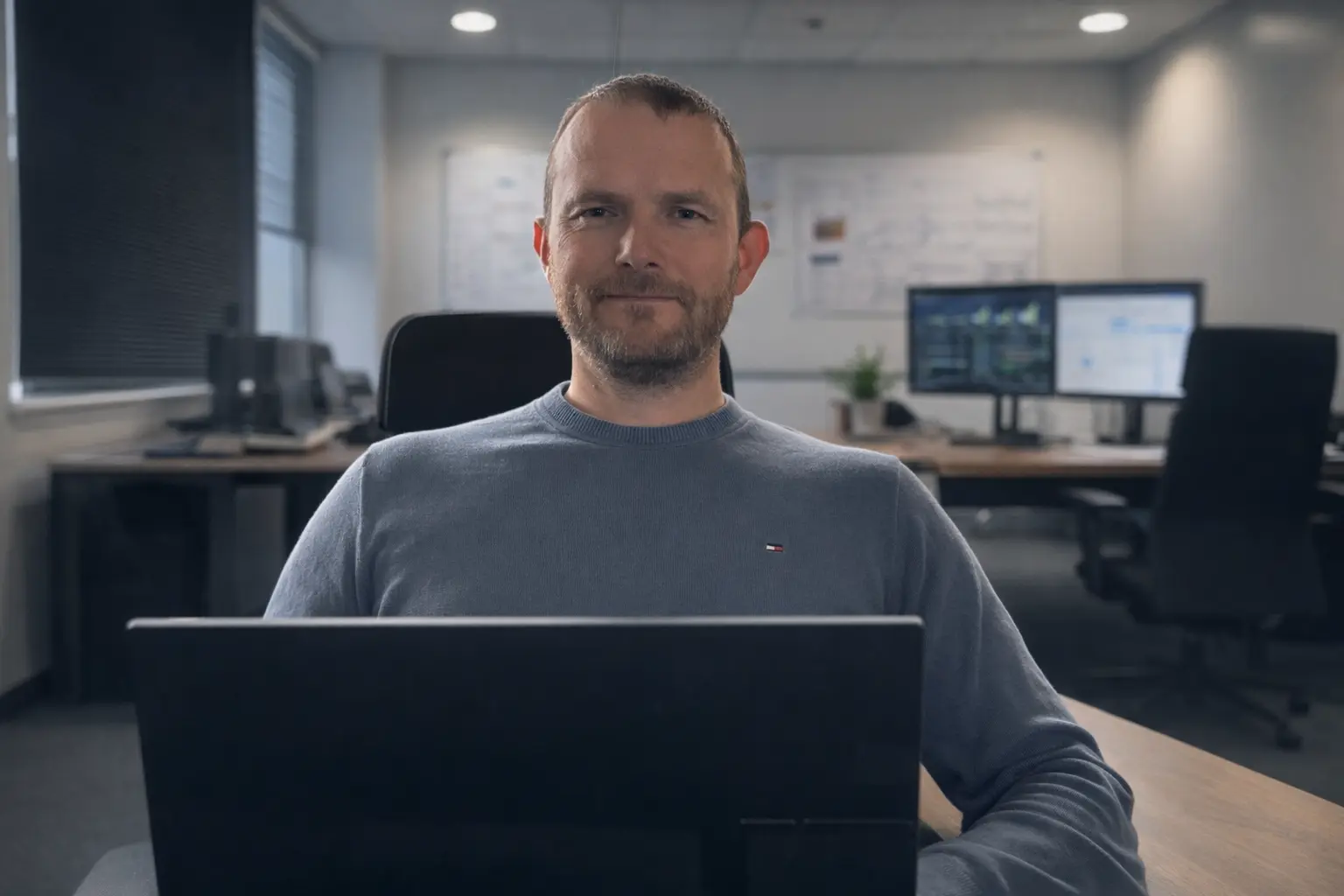
Tomasz Furdal - Home Assistant Expert

Hi, my name is Tomasz Furdal. I believe a smart home should make life easier, not add frustration. My journey to Home Assistant started with a passion for Linux, electronics, and practical problem-solving. Because of this, I help organize the system so it runs stably and makes sense in everyday use.

Linux Foundation

I understand the system Home Assistant runs on, making it easier to diagnose issues with configuration, integrations, and stability.

Understanding of Electronics

I look not only at code and automations but also at the hardware, power supply, communication, and real-world operation of devices in the home.

Logic and Stability

I help build automations that not only look good but, above all, work predictably and are comfortable to use.

What is your current situation?

You don't need to be a programmer to have a stable and hassle-free smart home.

You already run HA A

You already have Home Assistant

Not everything works as it should, or the system is becoming difficult to use daily.

  • Zigbee sometimes doesn't respond
  • Automations are inconsistent
  • Lack of order and control
  • You want to add integrations and have convenient control
  • You want aesthetic, readable dashboards
Starting from scratch B

You want to start from scratch

You prefer a quick start with someone who has practical experience.

  • I will help select devices that make sense for daily use
  • I will build convenient controls, dashboards, and simple operation
  • I will configure scenes, automations, and basic logic
  • I will structure the system so it's easy to expand
  • I will help you start without chaos and bad decisions

How does the cooperation look?

In short: first diagnosis, then work, finally testing.

1) Free diagnosis and quote

You describe the issue or what you want to achieve. Together we identify the cause and decide on the scope of work (fixed price for a specific task or project from scratch).

2) Secure work and full control

You provide me with temporary access to your system (e.g., by creating a dedicated service account). This allows me to efficiently diagnose the issue and make fixes "under the hood" of your home. We check the results together, and once the work is done, you simply delete my account. You hold the keys to your home – I'm just here to help fix it.

Sample dashboards

Selected views show both clear control interfaces and the operating logic of the installation.

Click or tap a panel to enlarge it.

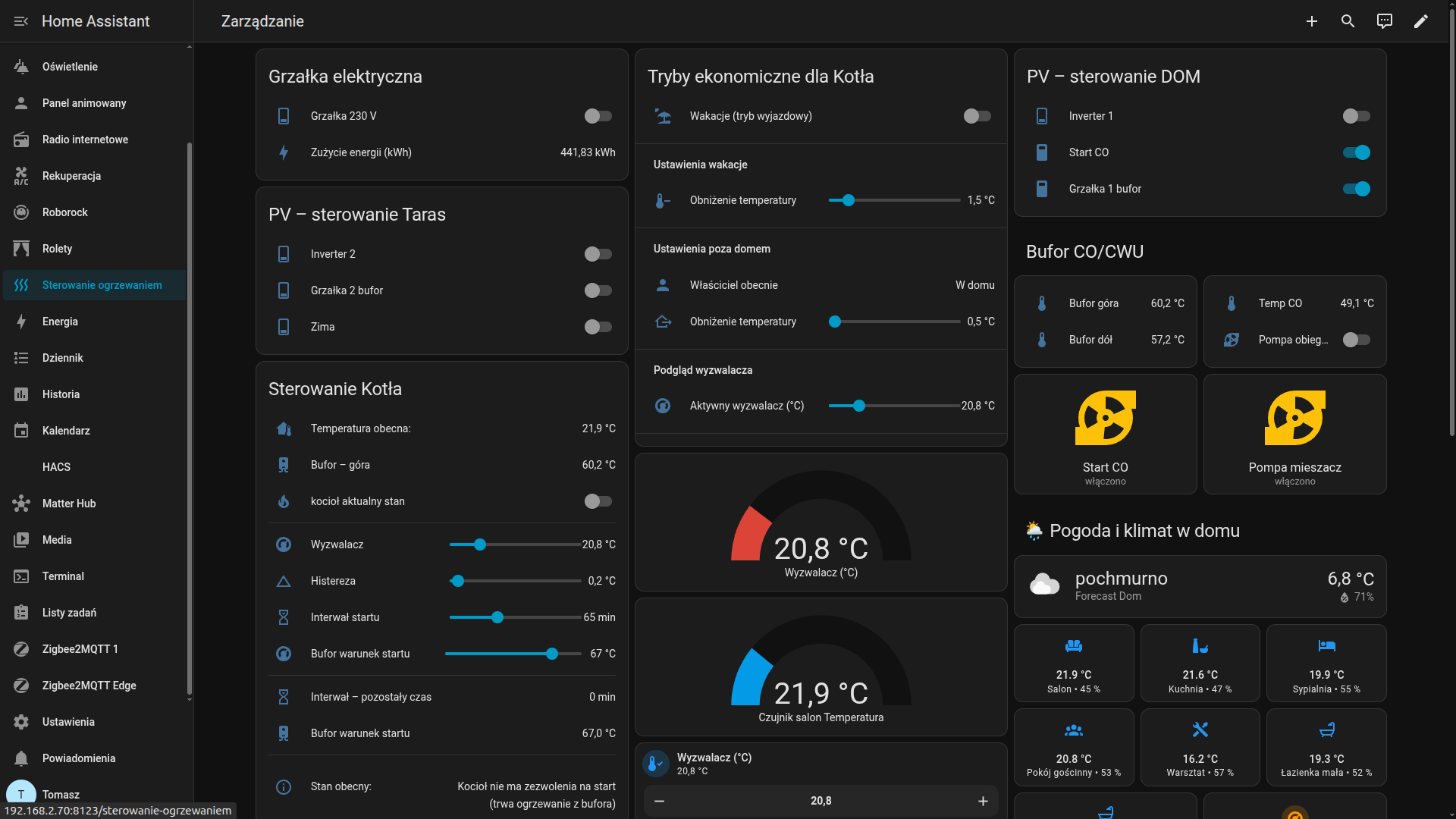
Heating and buffer control panel

Heating control

The dashboard allows managing heating from multiple sources, such as off-grid photovoltaics with a buffer tank and a gas boiler. It enables changing operating modes, temperatures, and setback thresholds, and automates energy savings when the house is empty or in vacation mode. The entire setup also monitors the system's logic so that heat sources do not operate simultaneously in an incorrect manner.
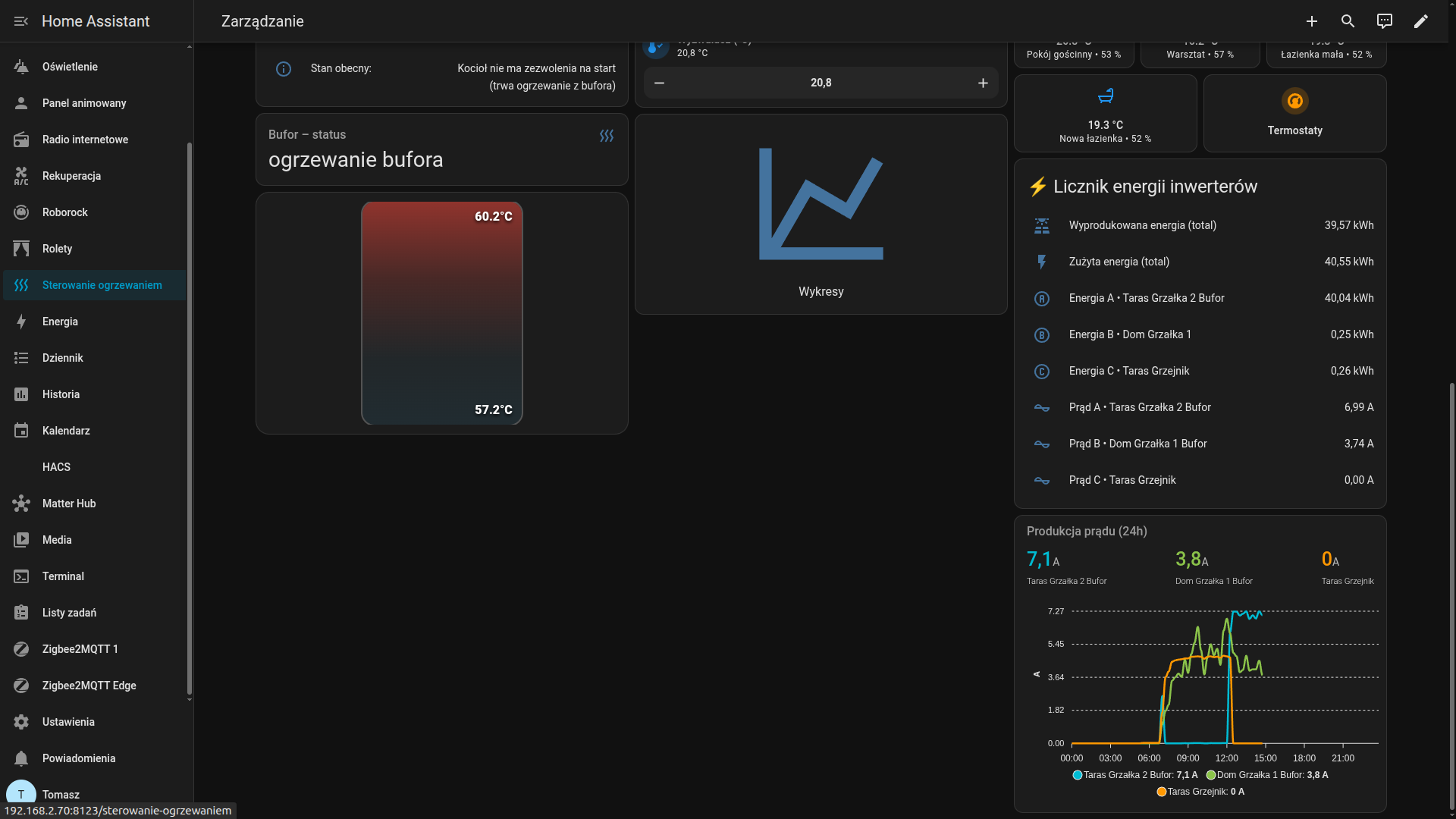
Installation status and temperature panel

Buffer, process, and heat source dependencies

The view shows the buffer status and the operating logic of the entire heating system. It makes it easy to assess the temperature in the upper and lower parts of the buffer, informs whether energy is being used for central heating, and whether the water is at the right temperature for domestic hot water.

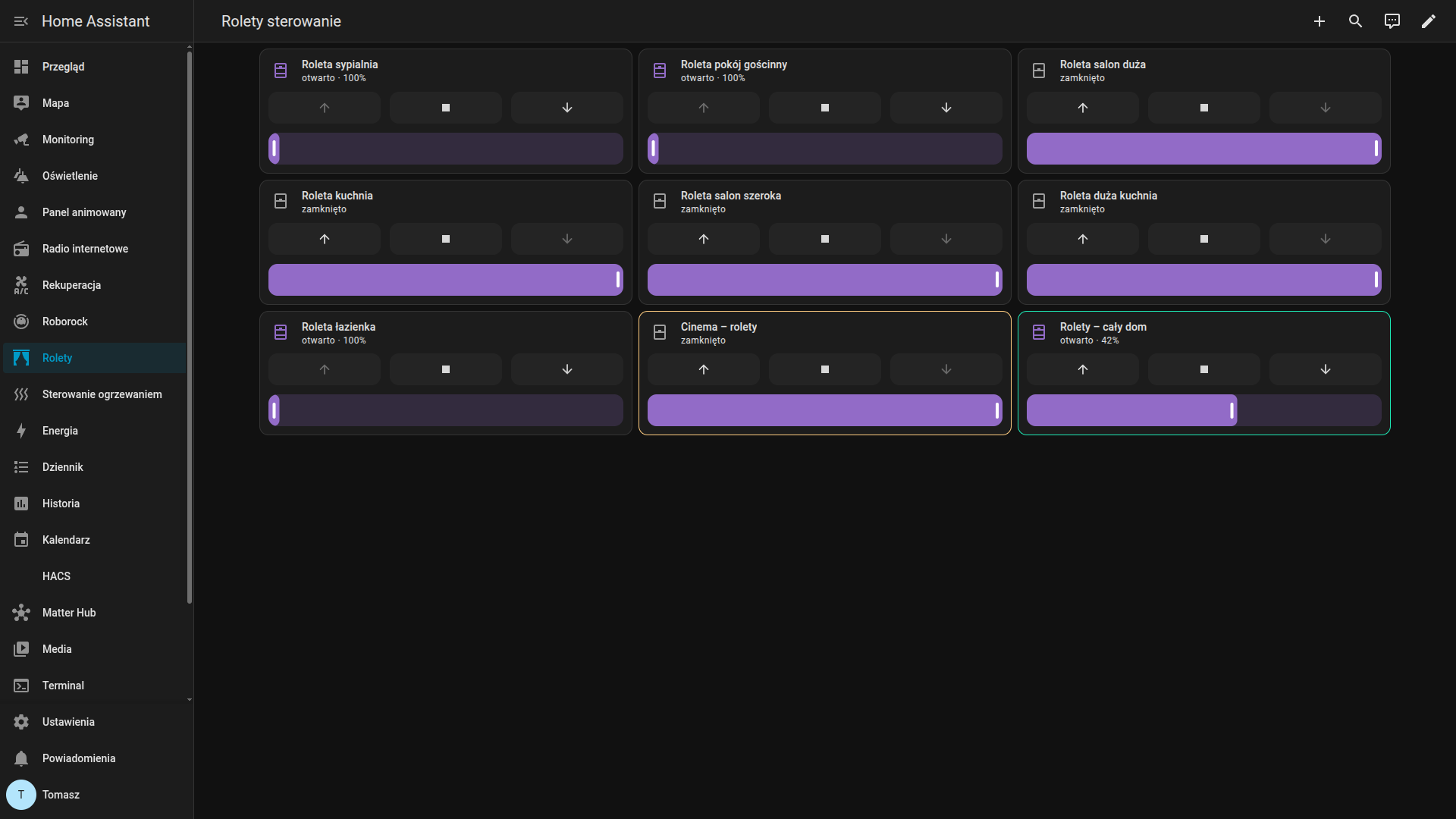
Blinds and everyday control panel

Blinds, groups, and scenes

The dashboard allows you to control individual blinds, groups of blinds, and home scenes. It also facilitates managing the entire home and combines manual control with automation based on the time of day, presence, and selected events in the system.

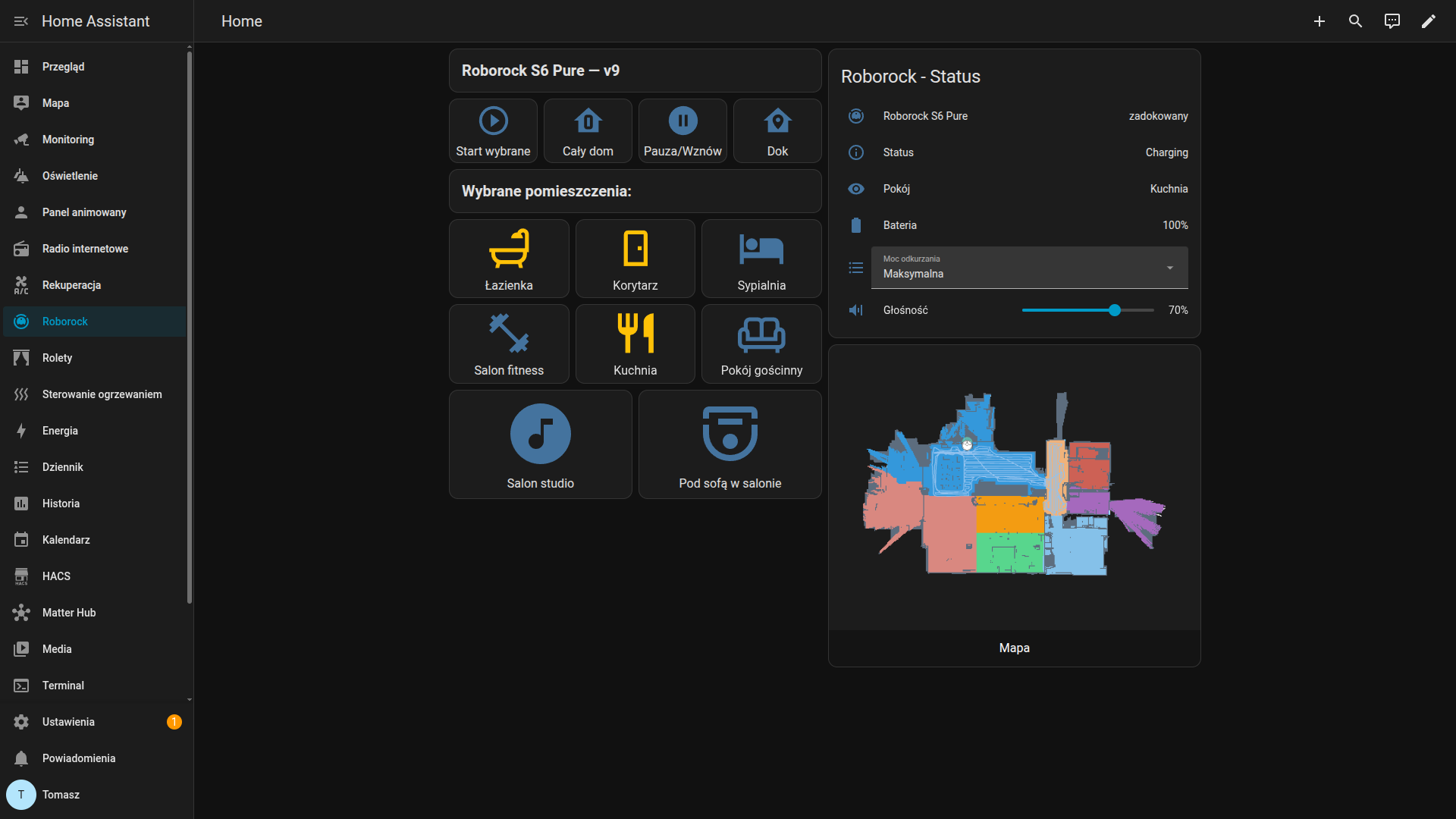
Device integrations and robot vacuum control panel

Device integrations

The dashboard allows convenient control of the robot vacuum: starting a full house clean or just selected zones, pausing work, and sending the device back to the dock. It also shows the vacuum's status and lets you adjust the cleaning power.

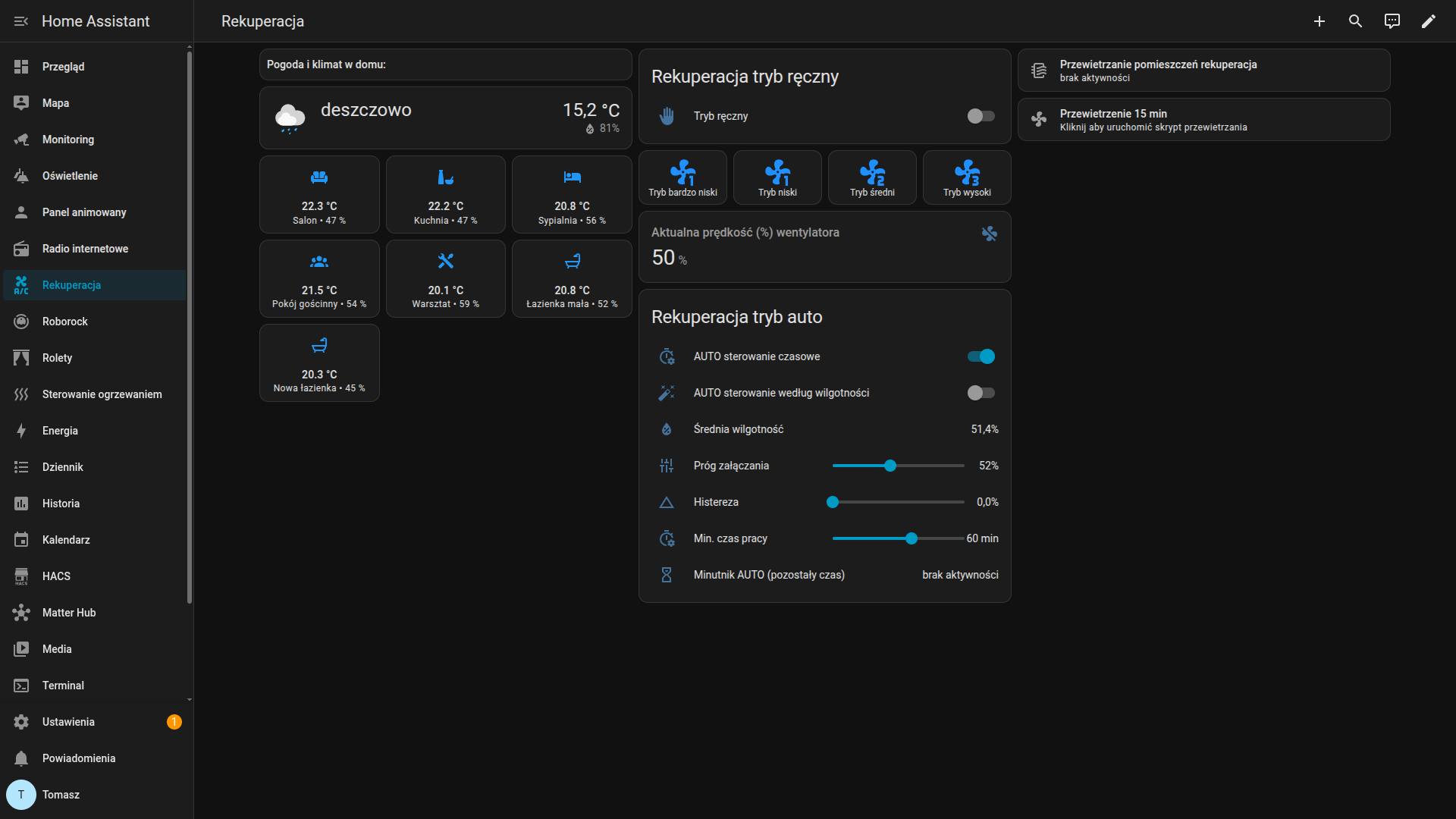
Heat recovery and ventilation panel

Heat recovery and ventilation

The view allows switching between manual mode and time-based or condition-based automation. It lets you control the recovery speed, airing out, and operating logic without needing to access system settings.

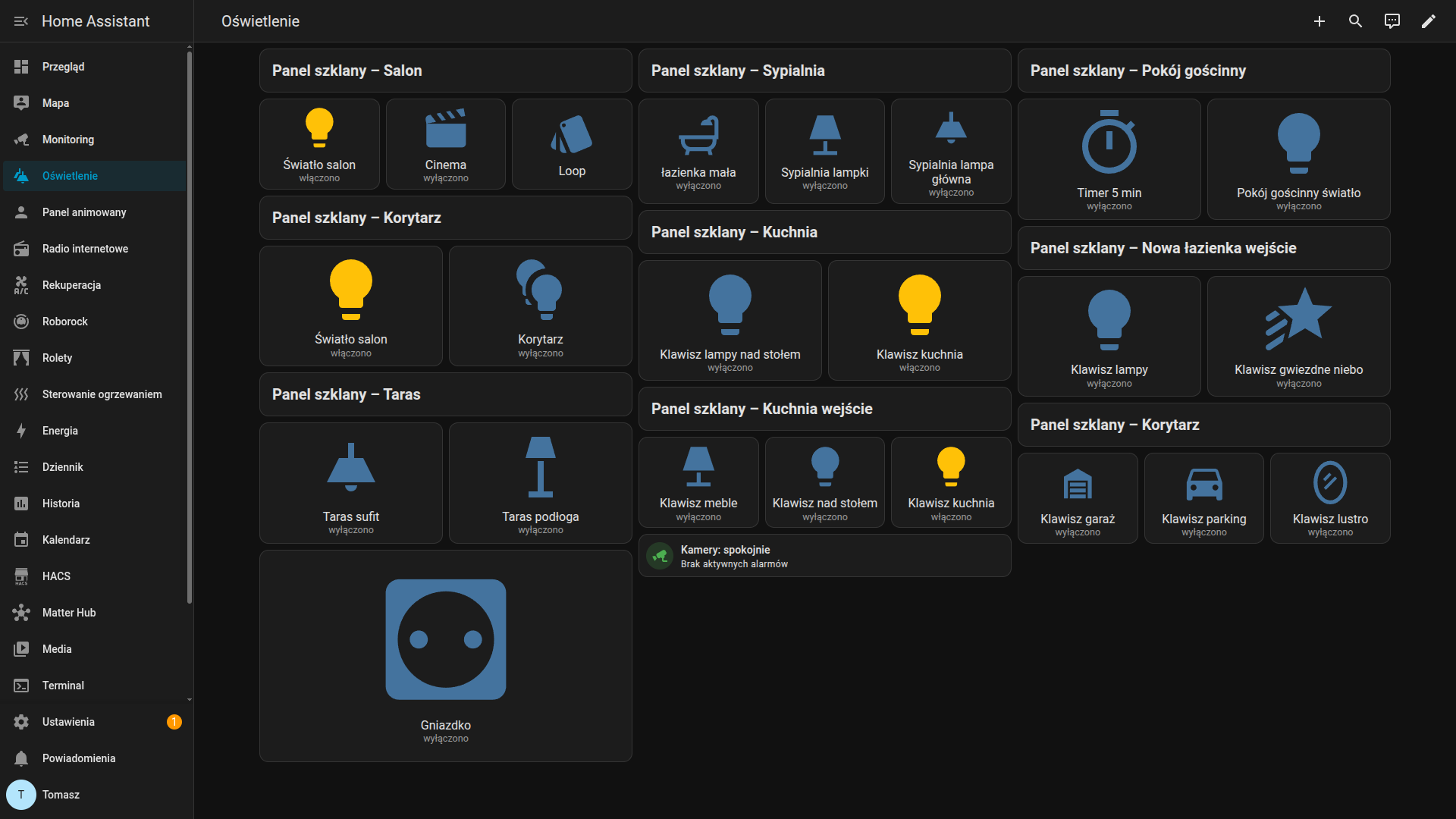
Lighting and glass panels dashboard

Lighting and glass panels

The dashboard replicates the physical glass switches in the home and shows the current lighting status in individual rooms. It facilitates quick light control, organizes the room layout, and provides a clear overview of what is currently turned on.

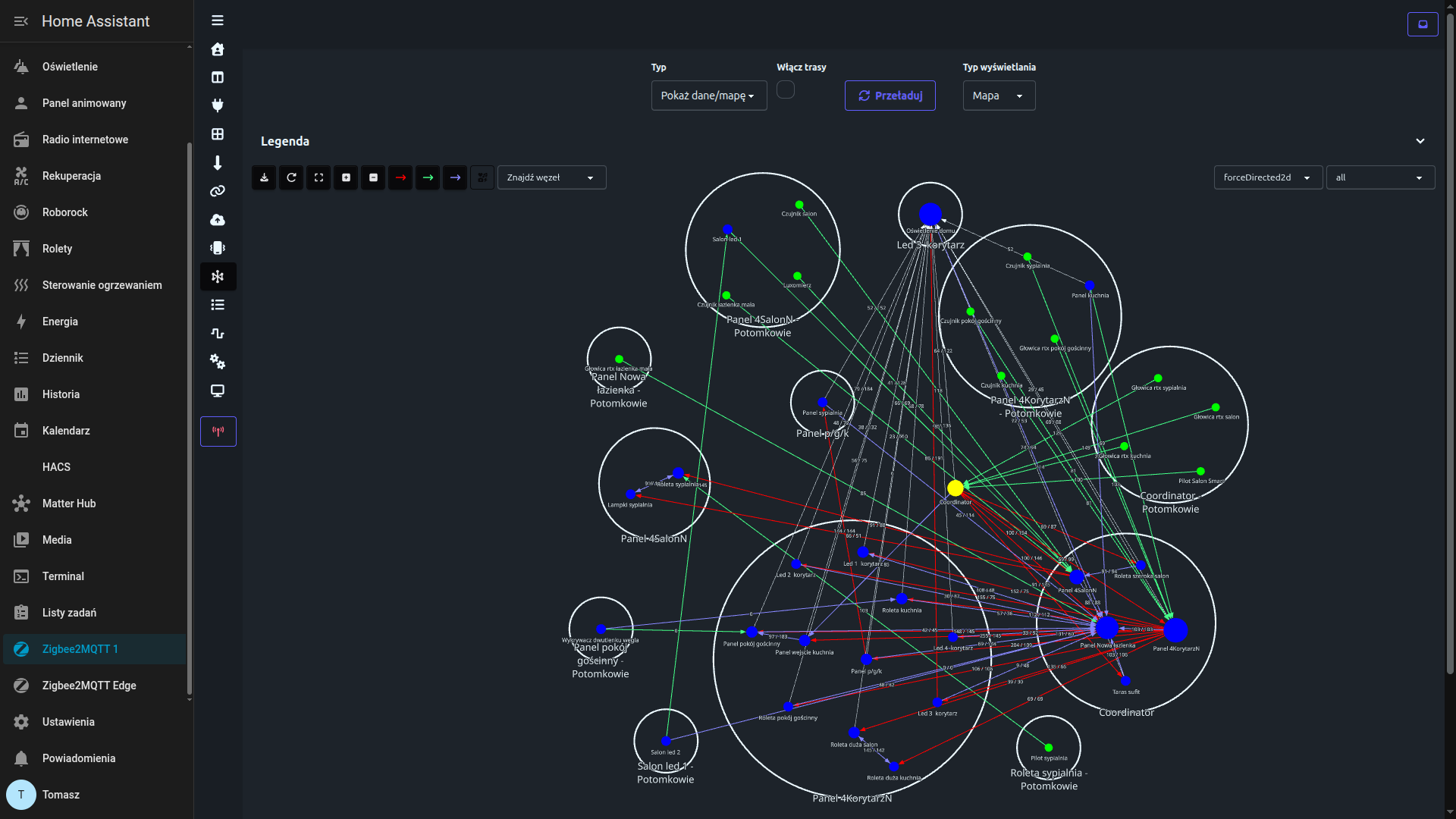
Zigbee topology and connection diagnostics

The dashboard shows how the Zigbee network is built: which devices connect directly to the coordinator, which work through routers, and the connection quality across the entire topology.

  • network topology and routing paths
  • connection quality and LQI values
  • relationships between the coordinator, routers, and end devices
Zigbee2MQTT network map

If you want to better understand Home Assistant and typical Zigbee issues, take a look here:

Why does Zigbee drop the connection?
What is Home Assistant?

How much does it cost?

First a diagnosis, then a clearly defined scope and cost of work.

Start 01

Free Diagnosis

I check if I can realistically help and propose an action plan. No obligations.

Repair 02

Repairs and Optimization (from 30 €)

I help with automations, Zigbee, integrations, logic, and control panels. Scope and price are agreed upon upfront for each specific task.

Project 03

Smart Home Projects (individual quote)

I help create a system from scratch, organize requirements, and design intuitive controls, dashboards, and operating logic.

Let me know what you need help with